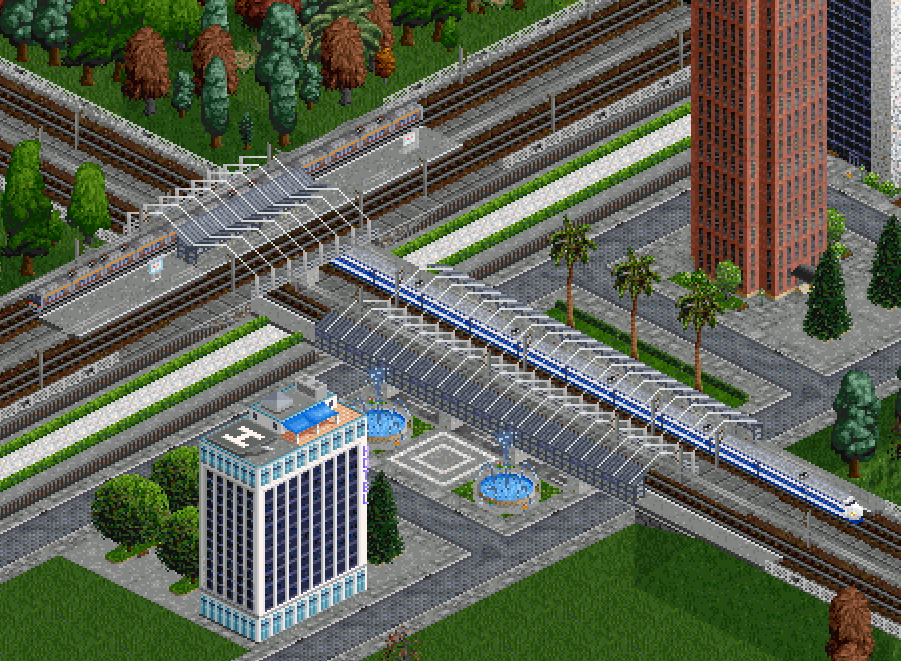
The JP+ Bridges extension set features a pair of special bridges designed to simulate an elevated station, which can pass over another track or road. Because this is not supported by OpenTTD, the elevated station has certain limitations and requires special conditions to build.
Requirements
- North Korean Station Set (DPRK Stations)
The elevated station bridges were designed the North Korean Station Set, because it is currently the only set with the required overlapping platform and waypoint tiles. This will change in the future when it will be implemented in JP+ Stations.
- Loading speed penalty setting
The OpenTTD setting Limitations > Loading speed penalty for trains that are longer than the station must be disabled to ensure that trains load quickly, as they only have 1 tile of real station platform to stop at.
Instructions
Start by identifying the gap you want to bridge. A good length is 2 tiles, as that is enough to fit another railway underneath perpendicularly. Note that you will need 2 extra tiles on each side of the gap, so a 2-tile gap will result in a 6 tile long platform.
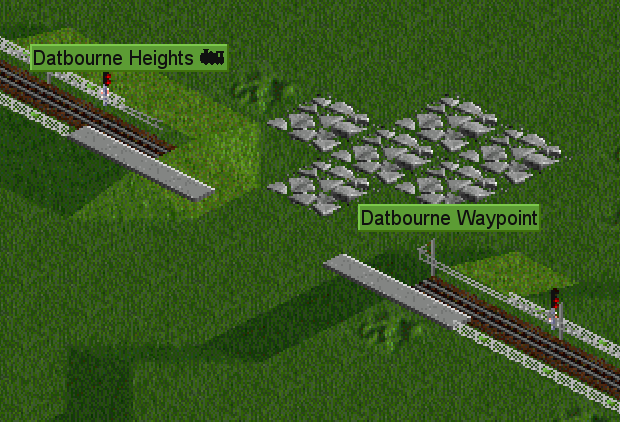
Place an overlapping platform tile waypoint at the entrance of the bridge, and the corresponding station tile at the exit. Note that this only works in one direction of travel, so bidirectional platforms aren’t possible. This is so that the train passes through the waypoint and stops at the platform on the far end, instead of stopping before it enters the bridge.
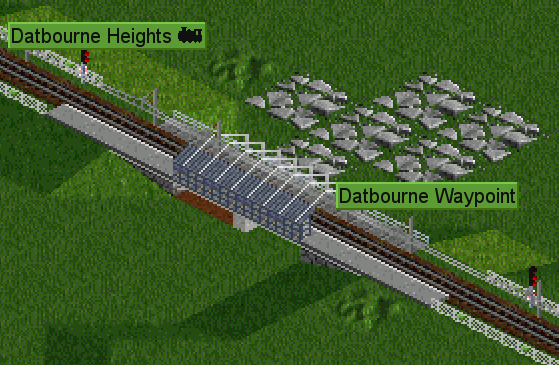
Then, place the bridge, making sure the platform on the bridge aligns with your station tiles.
Next to place the platform in the opposite direction, place a second station tile adjacent to the first waypoint tile, using the distant-join feature to make sure it is part of the same station.
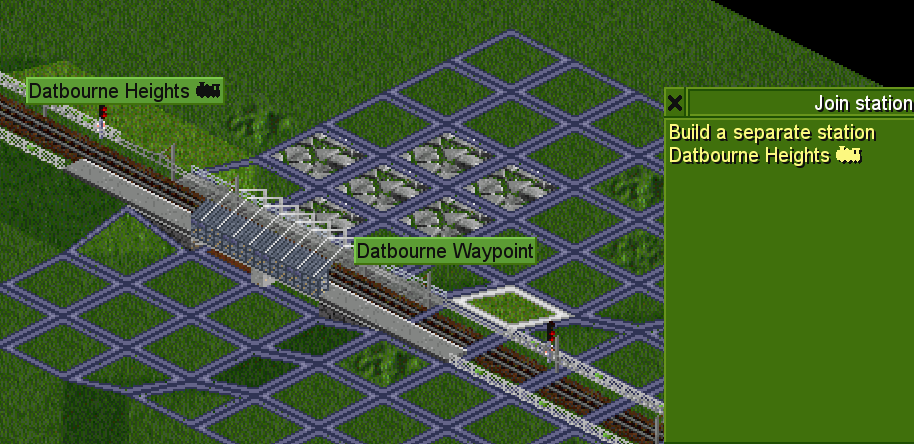
Repeat the process for the waypoint. (Yes, waypoints can also be distant-joined)
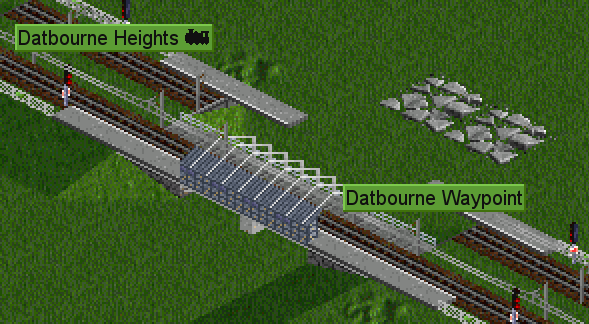
Build the second bridge to complete the station.
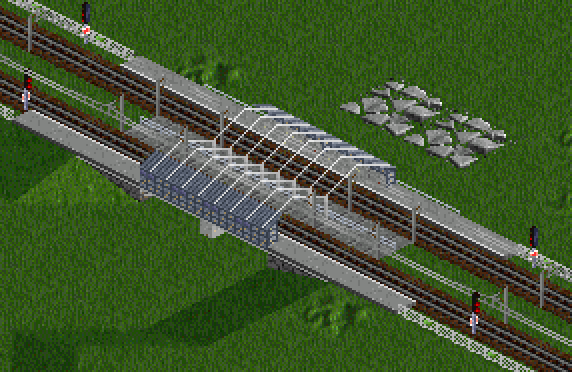
Finally, here is an example of this technique in action, featuring perpendicular platforms and different lengths, as well as aesthetic decorations.