There are many settings to change in OpenTTD, and JGRPP adds yet more still. Here are some recommended settings to change for the JP+ gameplay experience.
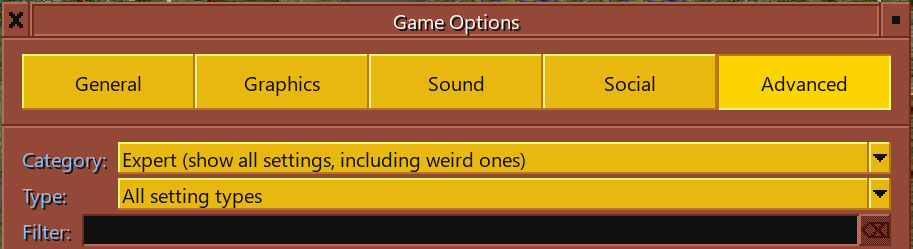
First, set the category to “Expert” under the advanced settings tab to ensure that all settings are visible. Use the search box to filter for specific settings.
General Settings
Enable building while the game is paused. This is highly recommended as it is useful for building rail junctions and within fast-growing towns without disruption.

Allow stations under bridges with no restrictions. This is highly recommended for compact construction and Underground Railways. However, it may cause graphical glitches with many types of station tile.

Disable breakdowns. In OpenTTD, breakdowns can be very annoying and require frequent visits to a depot for servicing, which disrupts traffic flow and is not even able to prevent breakdowns fully.

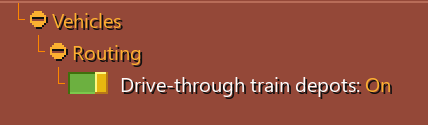
Drive through depots. This allows multiple rail depots to be combined into a longer one that can be accessed from either end.
Cargodist
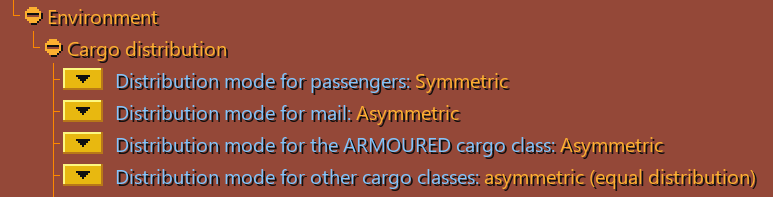
Cargo distribution, or “cargodist” for short, is a feature which simulates destinations for passengers and cargo. This is recommended especially for passengers, because it allows for much more realistic routes and networks, and they will transfer between vehicles automatically without requiring transfer orders.
For more details, see the Cargodist page.
Realistic Braking

This is a JGRPP feature which allows trains to slow down gradually, instead of stopping instantly. It is far more realistic, but adds an extra layer of complexity to the game because trains will need to reserve further ahead to ensure they have sufficient stopping distance. Nevertheless, realistic braking is highly recommended for JP+ games.
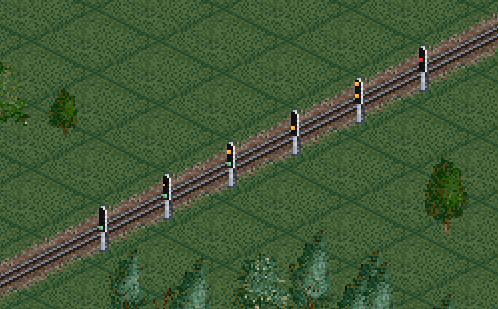
Realistic braking also enables another feature called multi-aspect signals. This allows certain NewGRF signals to show more different aspects. This is supported in JP+ Signal Extension, as demonstrated below:
Slope Steepness & Cargo Weight
There are two main ways to increase the challenge that hills pose for trains.
The first is the weight multiplier setting. This artificially multiplies the weight of freight, which makes freight trains heavier but does not affect passenger trains. Usually 2 or 3 is a good setting.

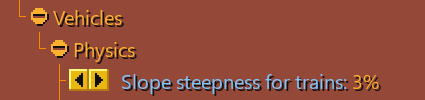
The second way is the slope steepness setting. This will affect all trains and will encourage building flatter, more realistic railways. A good setting is 7% to match the road vehicles.
Note:
Setting the cargo weight or slope steepness too high will result in trains stalling on hills if they have insufficient power. This is especially difficult in the early game years where engines are very underpowered.