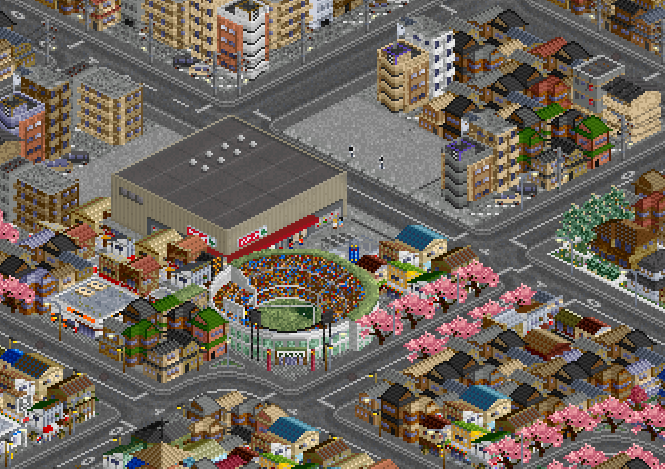
OpenTTD doesn’t support true underground railway construction, but it can be approximated using a variety of tricks and add-ons. This tutorial showcases various techniques for hiding your railways underground.
See also Elevated Railways
Requirements
- JGR Patch Pack
The patched version of OpenTTD adds many features. Specifically for this guide, we will need the ability to build signals in tunnels, bridges over stations, and custom bridgeheads.
- Metro/Underground Railtype
At minimum, a railtype with full-tile tunnel portals is required for seamless tunnels. JP+ Tracks provides all you need, but JapanSet Tracks may also be used instead.
- Metro/Underground Stations
JP+ has no such station set yet, but there are plenty of other NewGRFs that provide such stations, for example Korean Stations or Dutch Stations Additions.
- Subway Overlap Bridge
This is a road bridge that has plain full width tiles and no railing, for seamlessly covering sunken rails or stations. Such a bridge is provided in JP+ Bridges Extension, but the standard urban bridge will also work.
- Loading speed penalty setting
The OpenTTD setting Limitations > Loading speed penalty for trains that are longer than the station must be disabled to ensure that trains load quickly at 1-tile stations.
- Overlapping Objects
Gaps may be covered by overlapping NewObject tiles. Recommended NewGRFs are Auz Objects and Fridaemon’s Objects.
Basic Station
The precursor to a fully underground line is a sunken line. This is simply a railway that has been built in a trench lowered by one height level compared to the surrounding city, which makes it easy to cross with bridges. Using JGRPP’s custom bridgeheads, sunken railways can be made very compact by placing roads directly parallel to them. The ability to build stations over bridges unrestricted also allows to blend your stations with bridges.
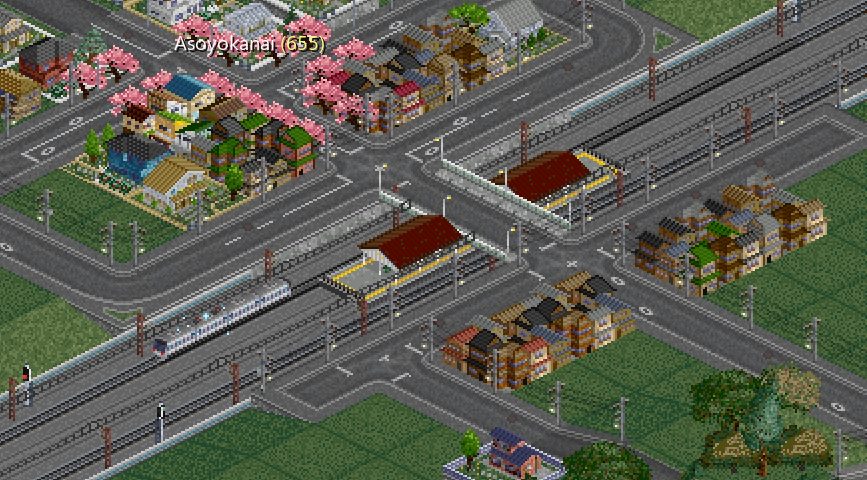
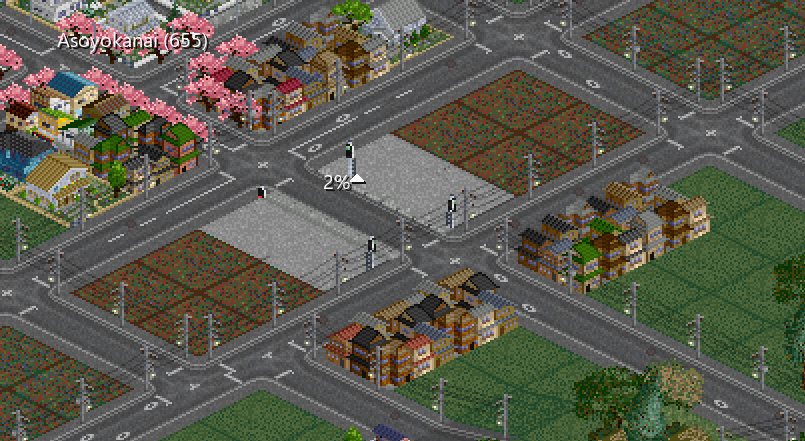
The idea behind underground building is that you can hide every part of the line in a tunnel, except for the parts that cannot be in a tunnel. As tunnels cannot have junctions, curves, or stations, this means that those are the exposed sections we need to deal with. For starters, we’ll convert the straight lines into tunnels, leaving only the station exposed. This will allow the town to expand to where the railway once was.
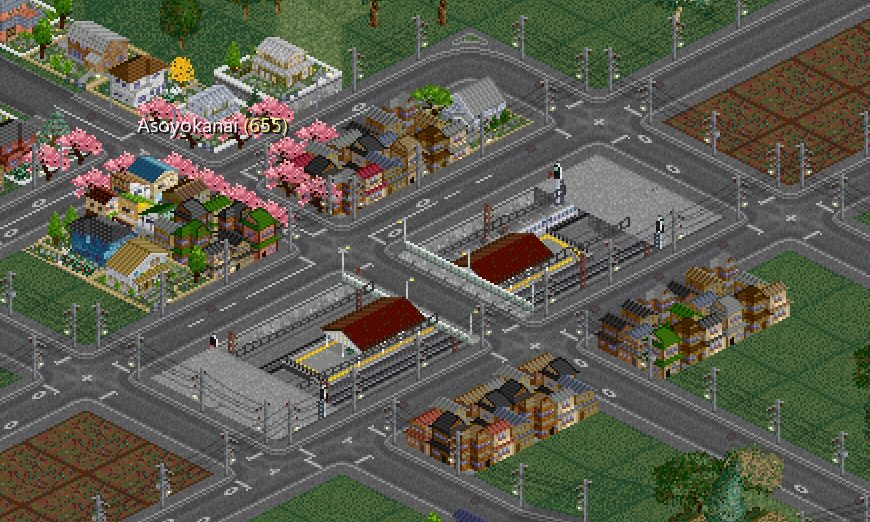
Now we can redecorate the station with metro tiles to cover what’s left exposed, and replace the bridge with the subway overlap bridge for a more seamless appearance. Looks okay, but it still leaves a big paved area that you can’t do much with.
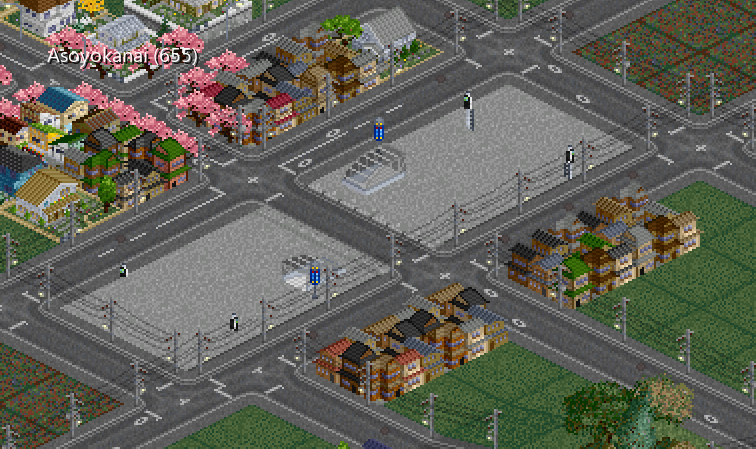
In the past, the platform needed to be as long as the trains, but here’s where the loading speed penalty comes in. Remove all station tiles except the ones directly under the bridge, and move the tunnel portals closer to free up even more space. This is the minimum size for a double track through station.
Note:
Through stations can be shrunk to only one tile, but terminus stations still need to be as long as the train to enable it to turn around.
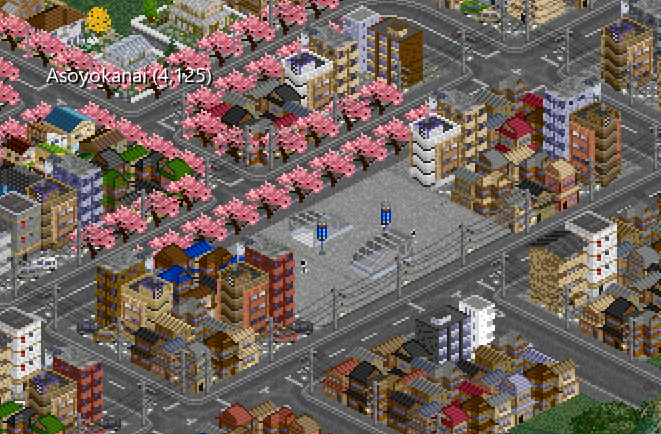
Instead of the bridge, you can also use metro station tiles here. To prevent the signals from sticking out, use the “Shinkansen Marker” from JP+ Signals Extension. To prevent bits of catenary from sticking out, use the “Universal Underground” tracks from JP+ Tracks. Here is the completed compact underground station after the town has grown around it.
Curves
But what about curves? Here’s a similar basic station setup as before but there’s a curve before the track can enter back into a tunnel. This leaves an ugly exposed bit of track which we’ll need to hide somehow.
Note:
1-tile turns are normally not acceptable, but metro systems are an exception due to their required compactness. See also Curve Radius.
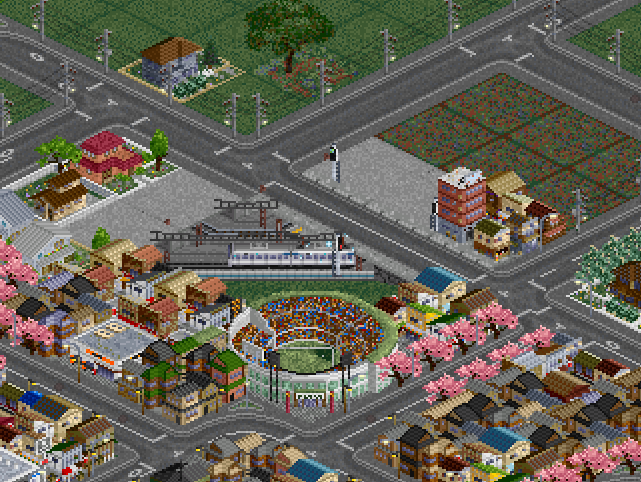
Easy, just use the universal underground, right? Except that this still leaves the side of the track exposed, and it interferes with the bridge we have there.
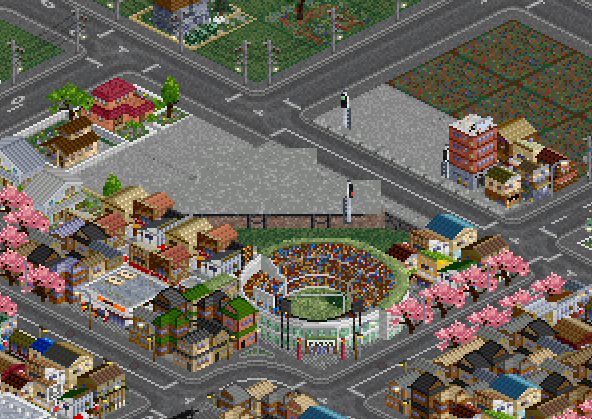
We can just remove the bridge, and fill the gaps with the matching eyecandy railtype from JP+ Tracks. But this is just another big paved patch, and may also be glitchy, and we can do better.
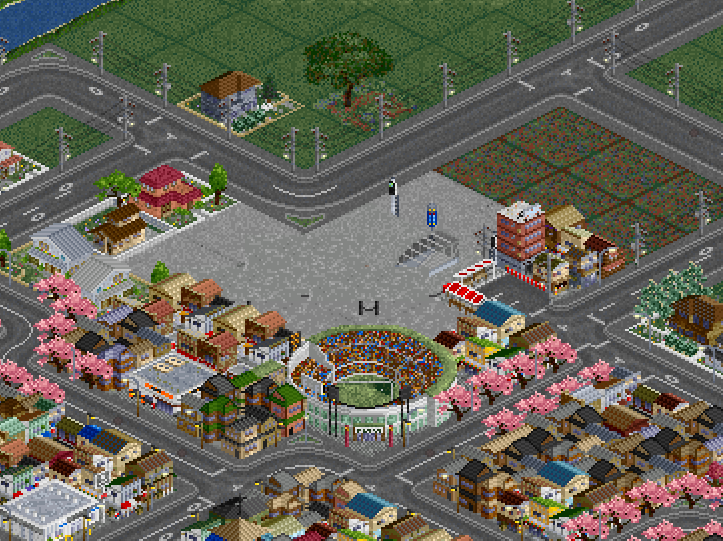
We really want the bridge there. We could just give in and leave the track exposed, and decorate the surrounds to blend it in better. This can look good and be realistic in some situations, but there’s a 1-tile curve here that we really want to hide.
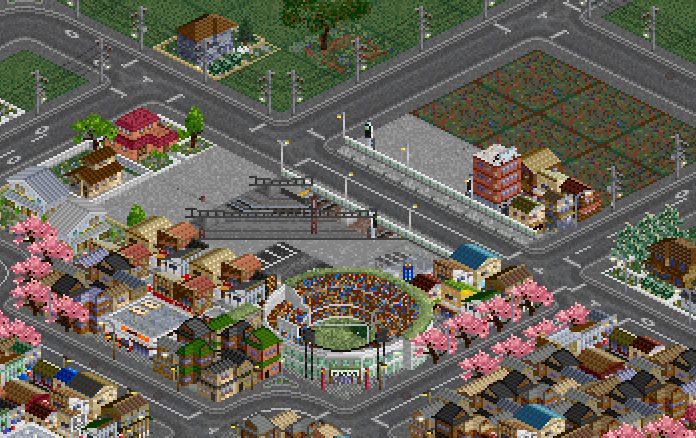
The ultimate solution is the overlapping object. This supermarket from Fridaemon’s Objects takes up only one tile, but covers four tiles, perfectly covering the exposed track and seamlessly blending with the surroundings. Now it’s hard to tell that there’s a railway here at all!